Google Health
Why this change?
Google is switching off the legacy Fitbit connection (the Fitbit Web API) on 30 October 2026 and replacing it with the Google Health API. YuMuuv has moved to the new connection. Your Fitbit device and the Fitbit app work exactly as before – only the link between Fitbit and YuMuuv changes.
This only affects you if Fitbit is your integration in YuMuuv. If you use Garmin, Polar, Suunto, Apple Health or Health Connect, there is nothing to do.
How to reconnect
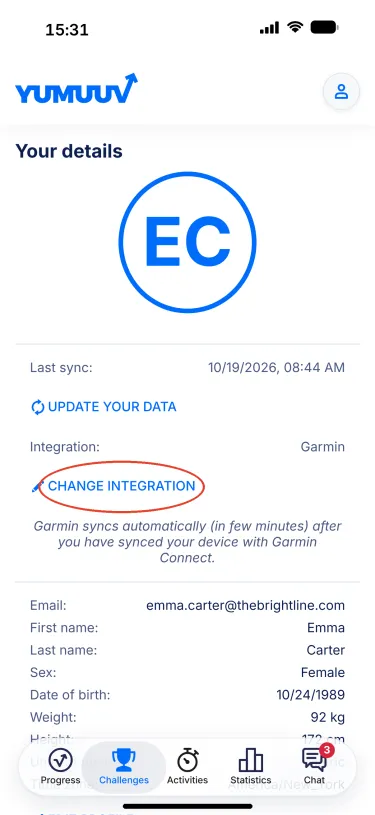
- Open the YuMuuv app, tap the profile icon in the top-right corner and choose Your details.
Tap Change integration.
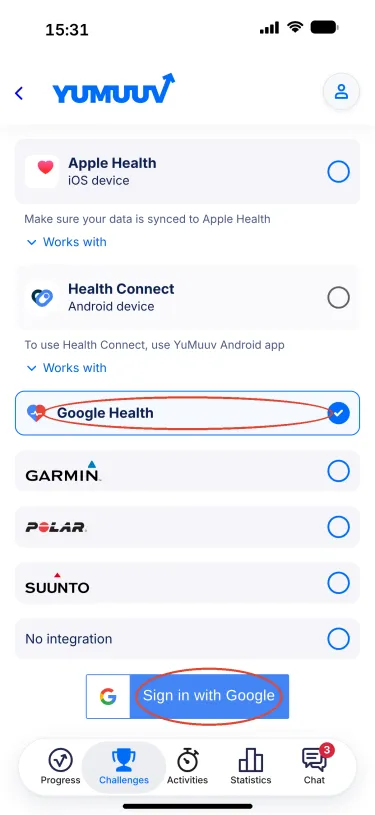
Select Google Health from the list and tap Sign in with Google.
- Sign in with the Google account your Fitbit is linked to – the same account you use to sign in to the Fitbit app – and allow the requested permissions. Without them YuMuuv does not receive your data.
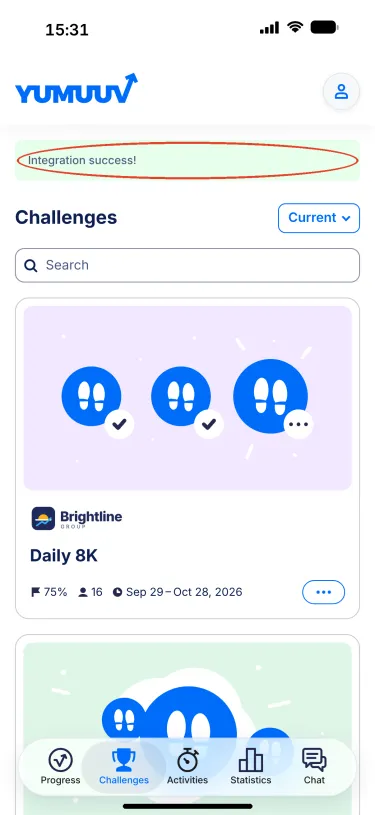
You are taken back to the app and see Integration success!
Go to Your details again: Integration now shows Google Health. Tap Update your data and check that Last sync shows today's date and time.
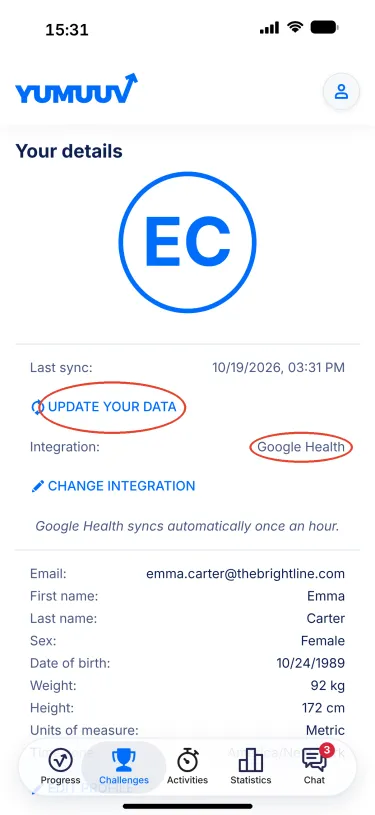
From now on your data syncs automatically about once an hour. Keep syncing your Fitbit device with the Fitbit app as usual; YuMuuv picks up the data from Google Health shortly after.
Something not working?
- Last sync does not update → open Your details → Change integration and run the steps again, making sure you pick the Google account your Fitbit uses.
- You denied a permission by mistake → repeat Change integration; Google asks for the permissions again.
- Still stuck? Write to us at support@yumuuv.com and we'll sort it out.
Applies to
- Fitbit (Google Health)