Group chats
Two kinds of chat
- Challenge chats – one per challenge, for everyone taking part. This is where the whole company talks during a challenge.
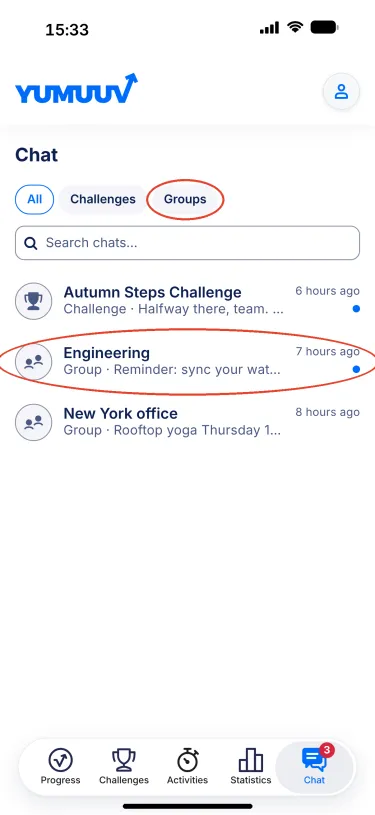
- Group chats – one per group your organiser has set up in YuMuuv, for example Engineering or New York office. A group chat is not tied to a challenge, so the conversation continues between challenges.
Finding your chats
- Tap Chat in the bottom bar. A red badge shows how many unread messages you have.
- Use the All / Challenges / Groups filter at the top, or type a name in Search chats.
- Tap a chat to open it. A blue dot marks chats with new messages.
Inside a group chat
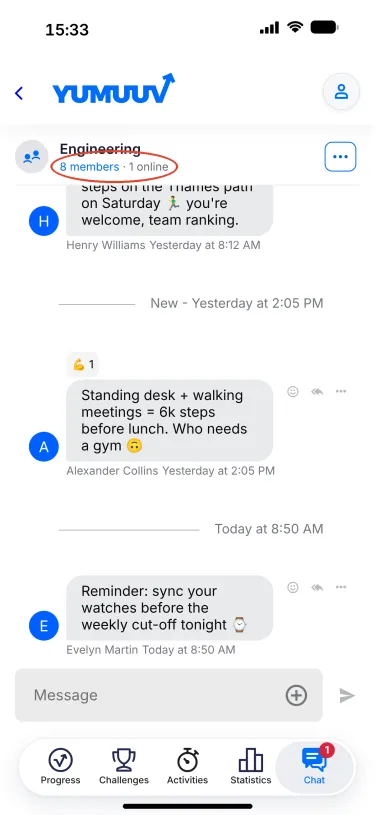
- The header shows the group name, how many members it has and how many are online right now.
- Type in the Message field and tap the arrow to send.
- Tap the smiley on a message to react, or the arrow to reply in a thread. The three dots open more options.
- Day separators and a New marker show you where you left off.
Too many notifications?
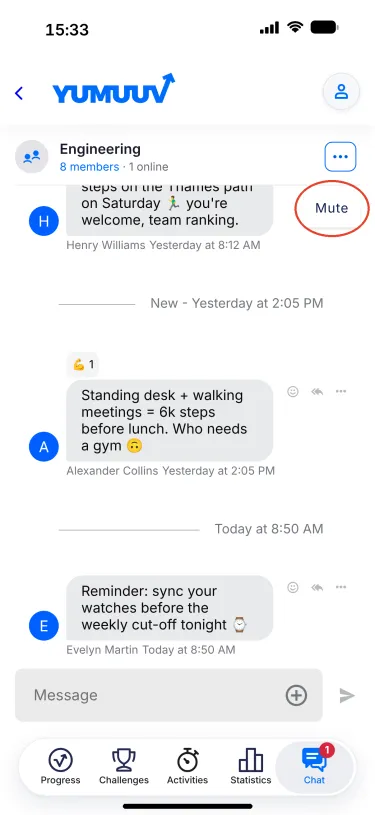
Tap the three dots in the top-right corner of a chat and choose Mute. You stay in the chat and can read it any time, but it no longer sends you notifications.
For organisers
Group chats follow the groups in your admin panel: each group gets its own chat, and members join and leave with the group. There is nothing to switch on separately.
Questions? Write to us at support@yumuuv.com.