Announcements
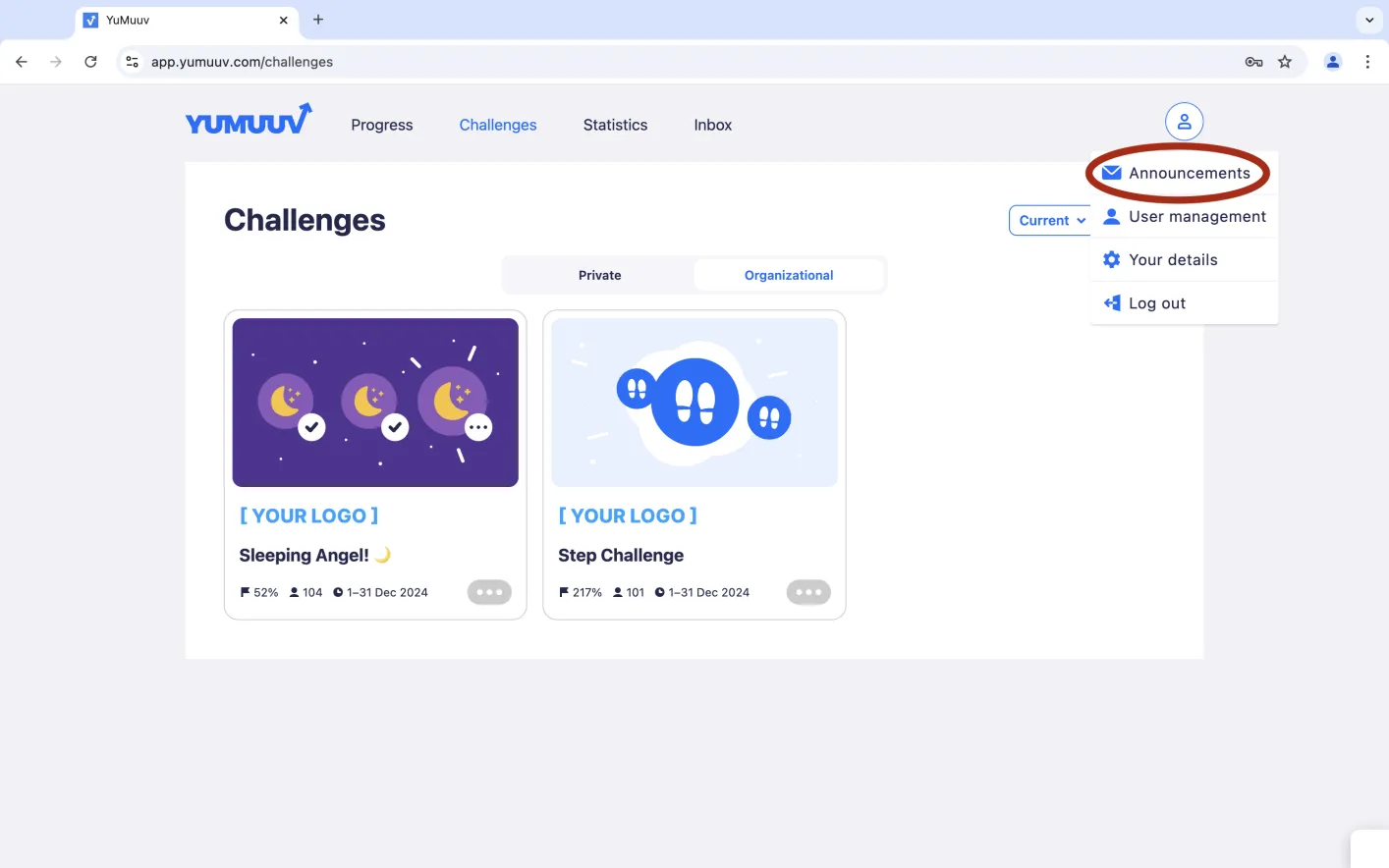
Clicking on the profile circle in the top-right corner will reveal the Announcements option. On this page you can manage everything related to announcements.
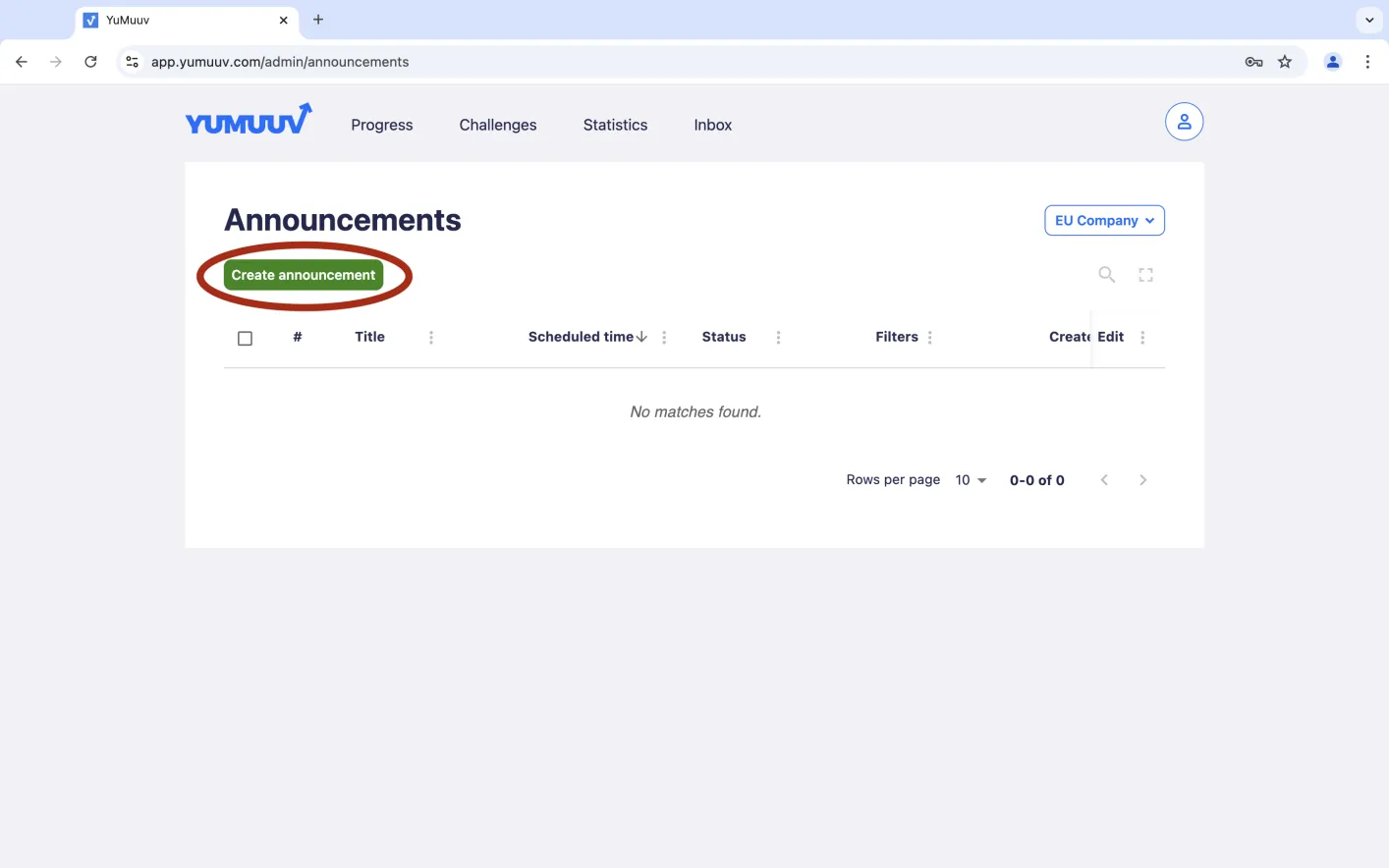
On the left side, you'll find a green Create Announcements button, which you can use to create new announcements.
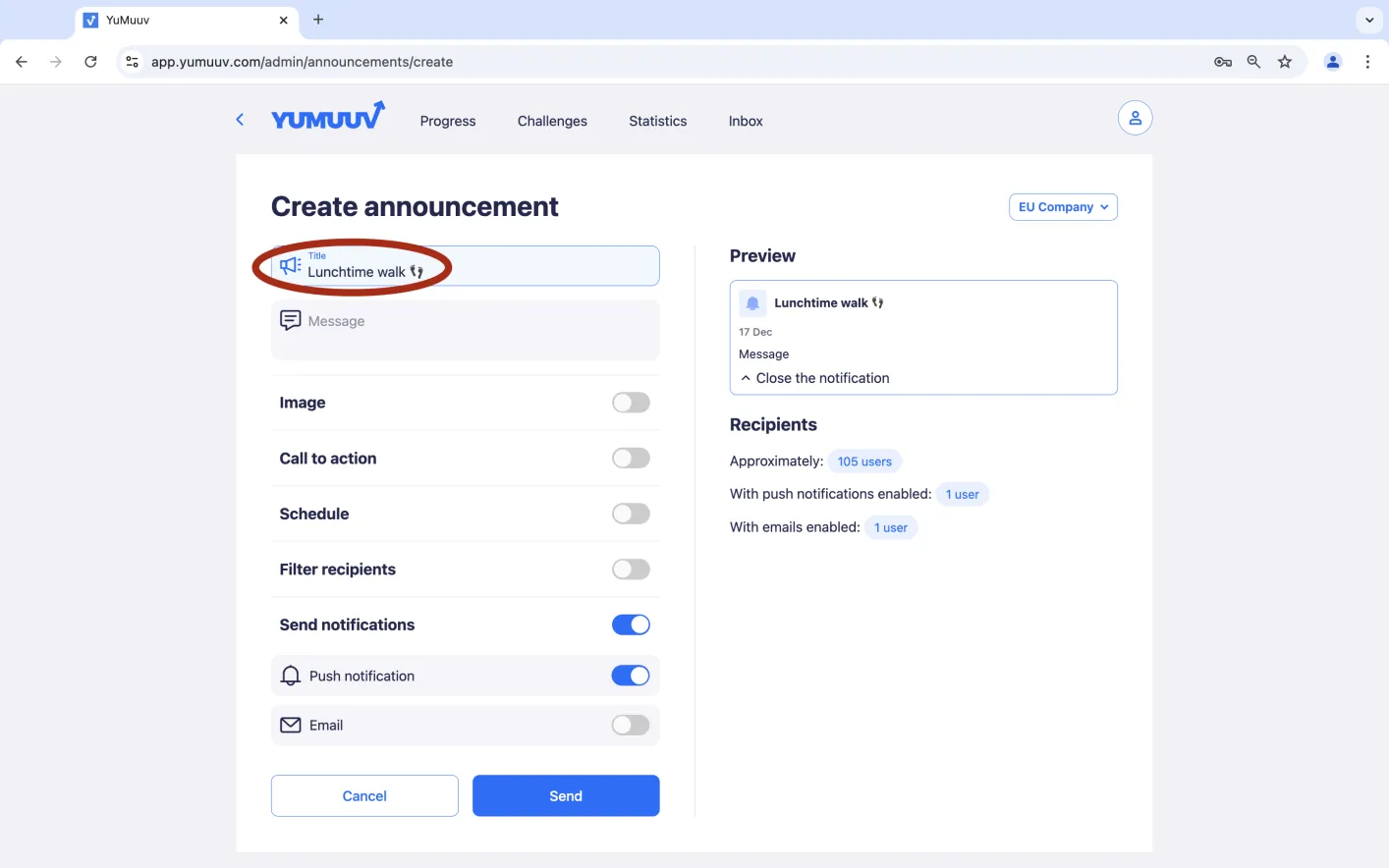
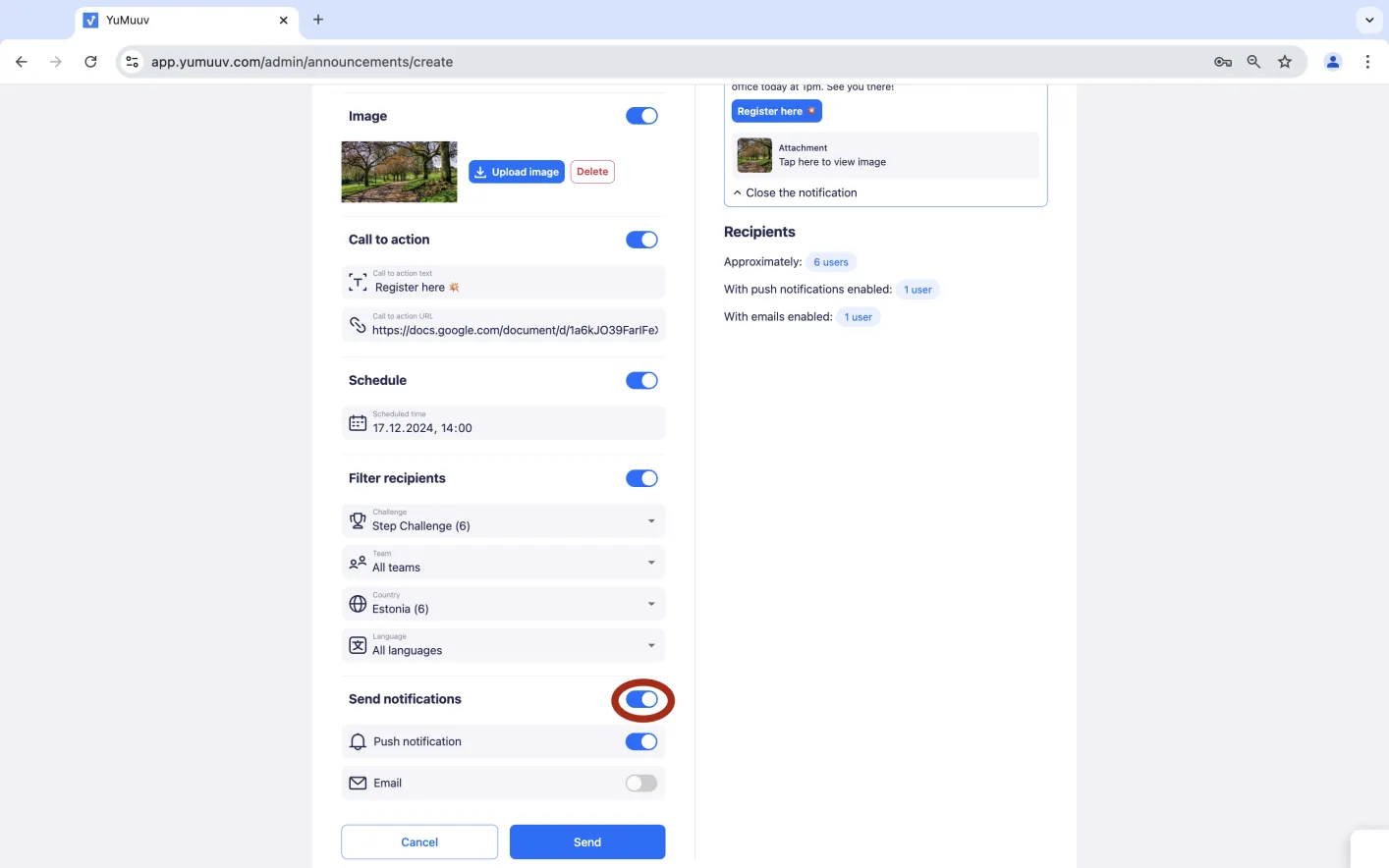
First, you can add a title to the announcement.
Next, create the message for the announcement.
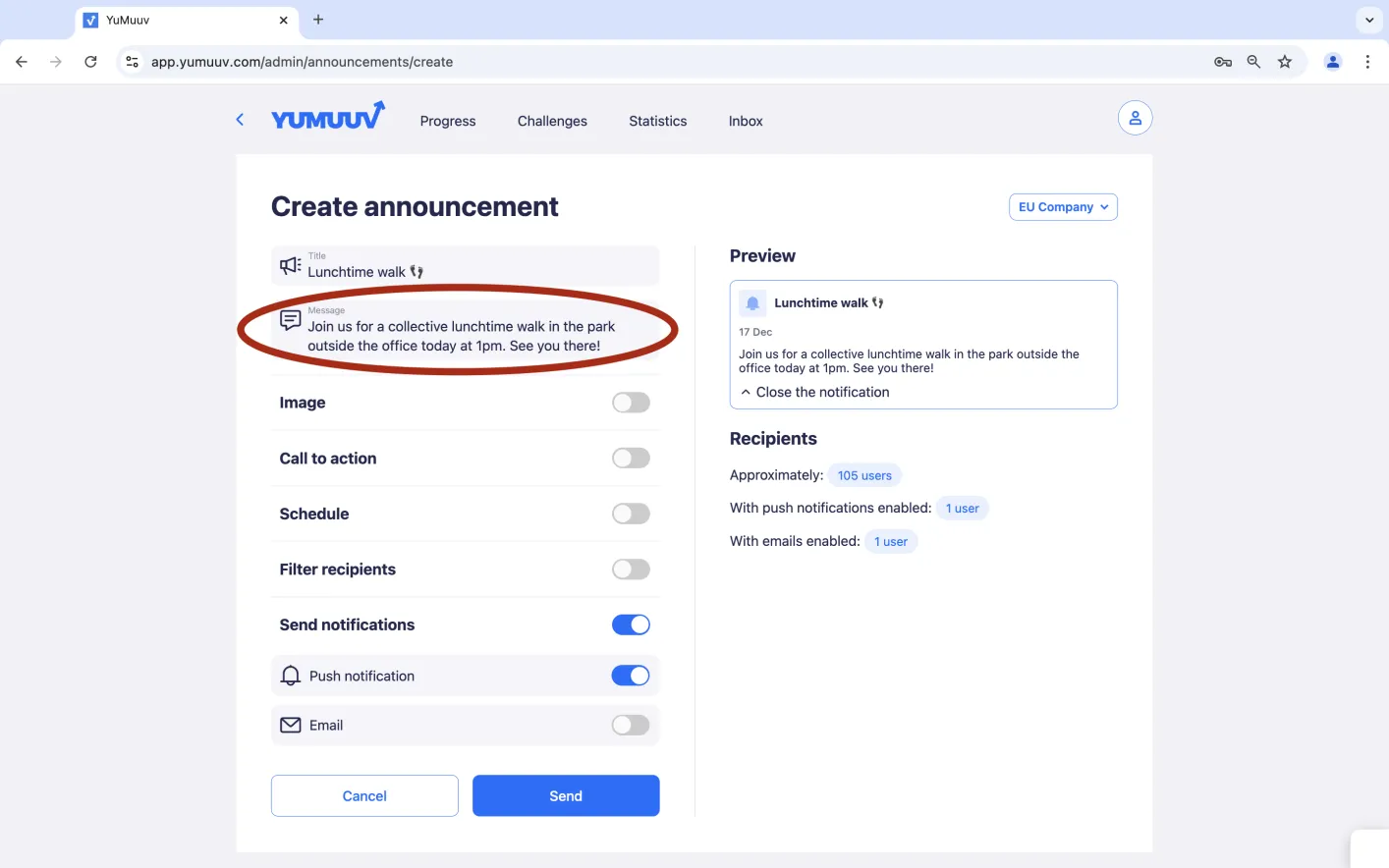
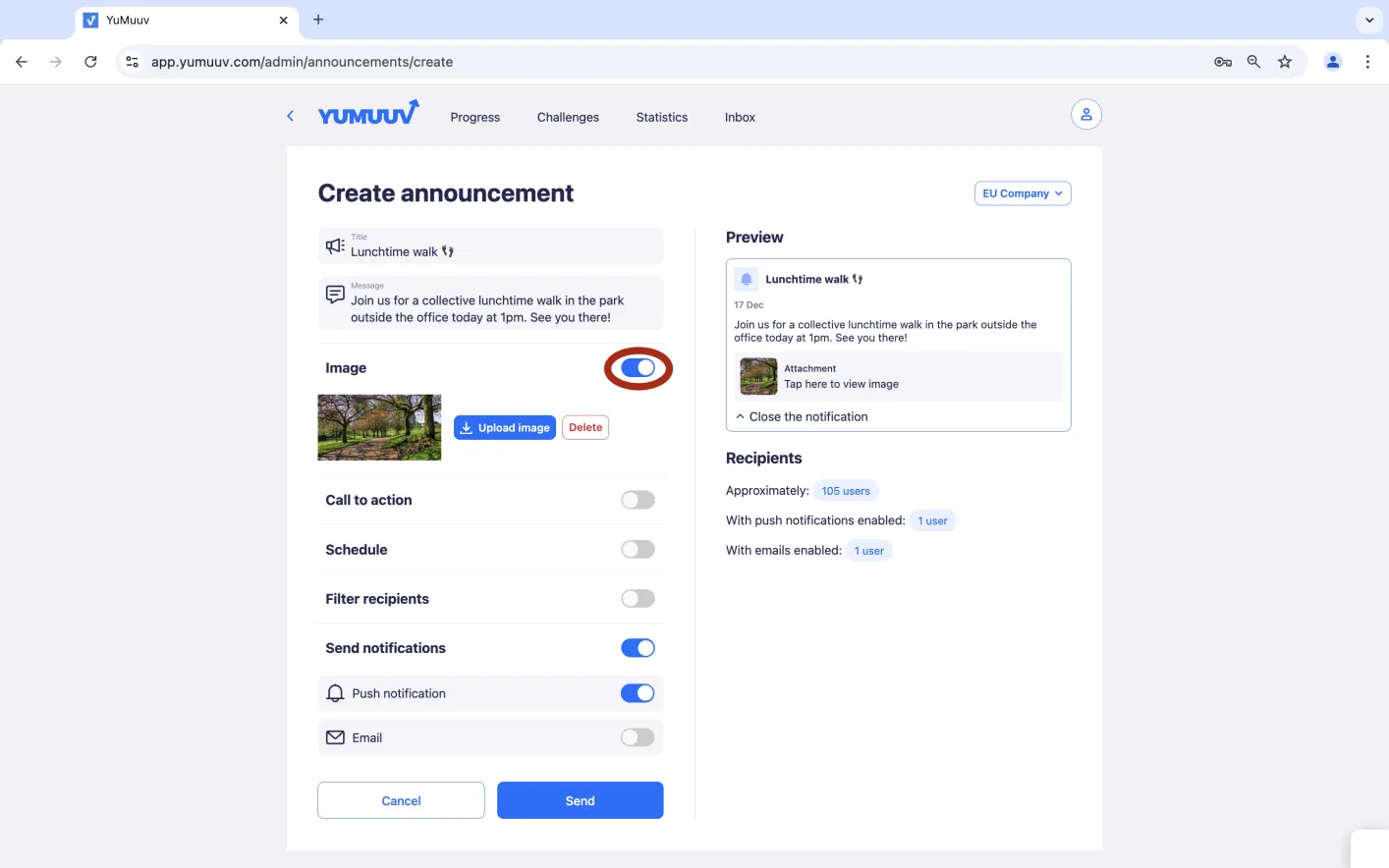
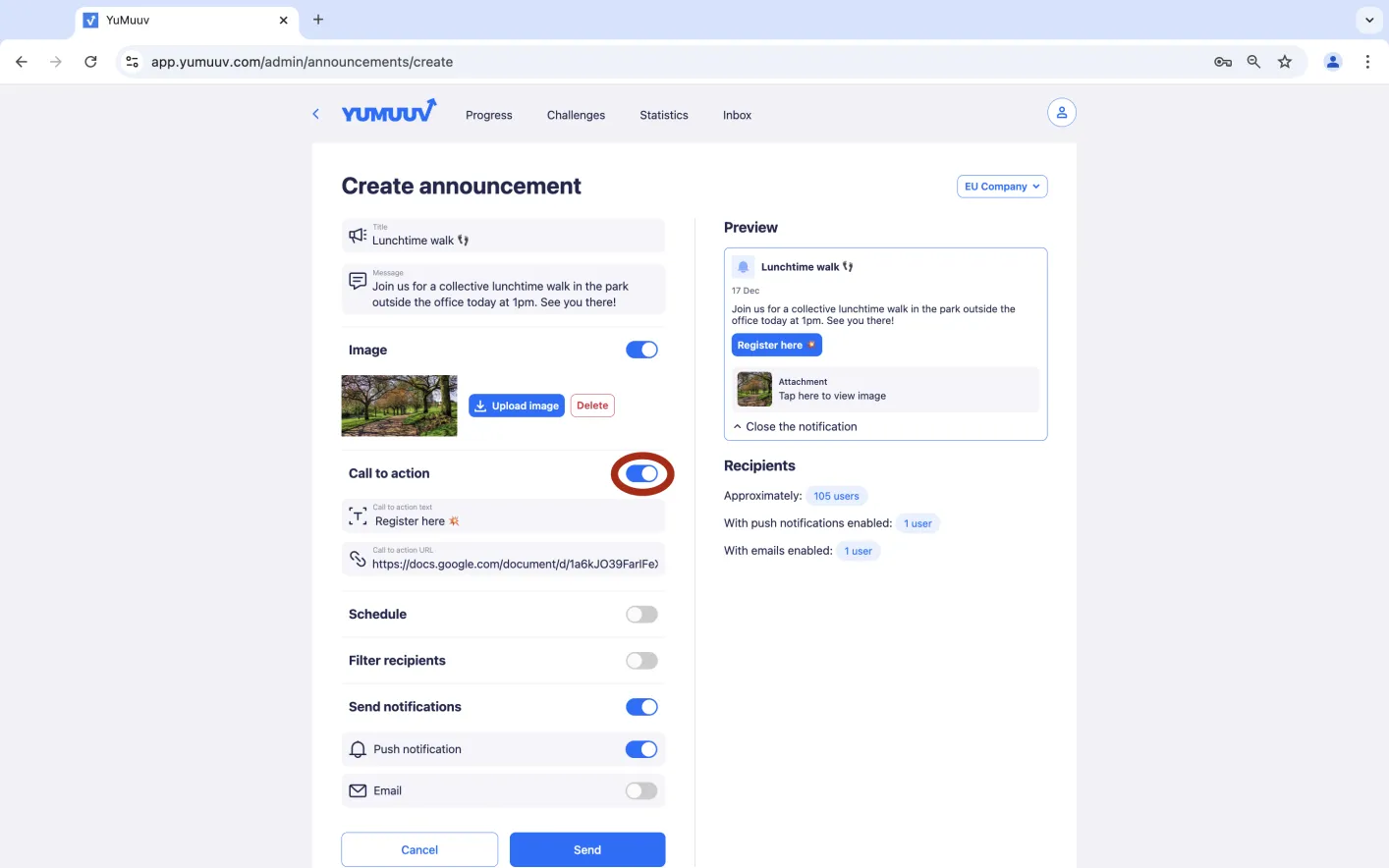
If desired, you can also include an image or a call-to-action button.
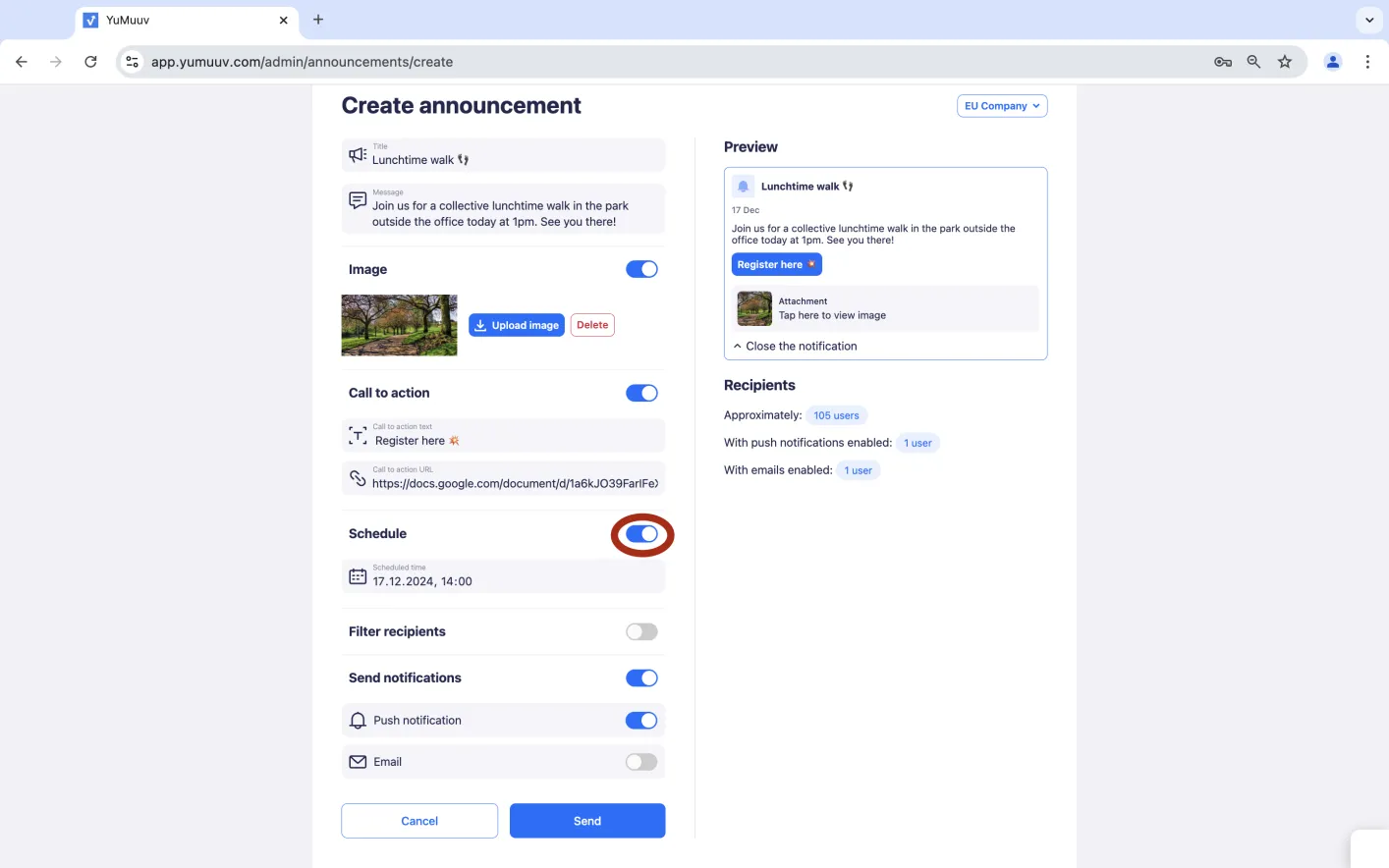
If you prefer not to send it immediately, you can schedule it for later.
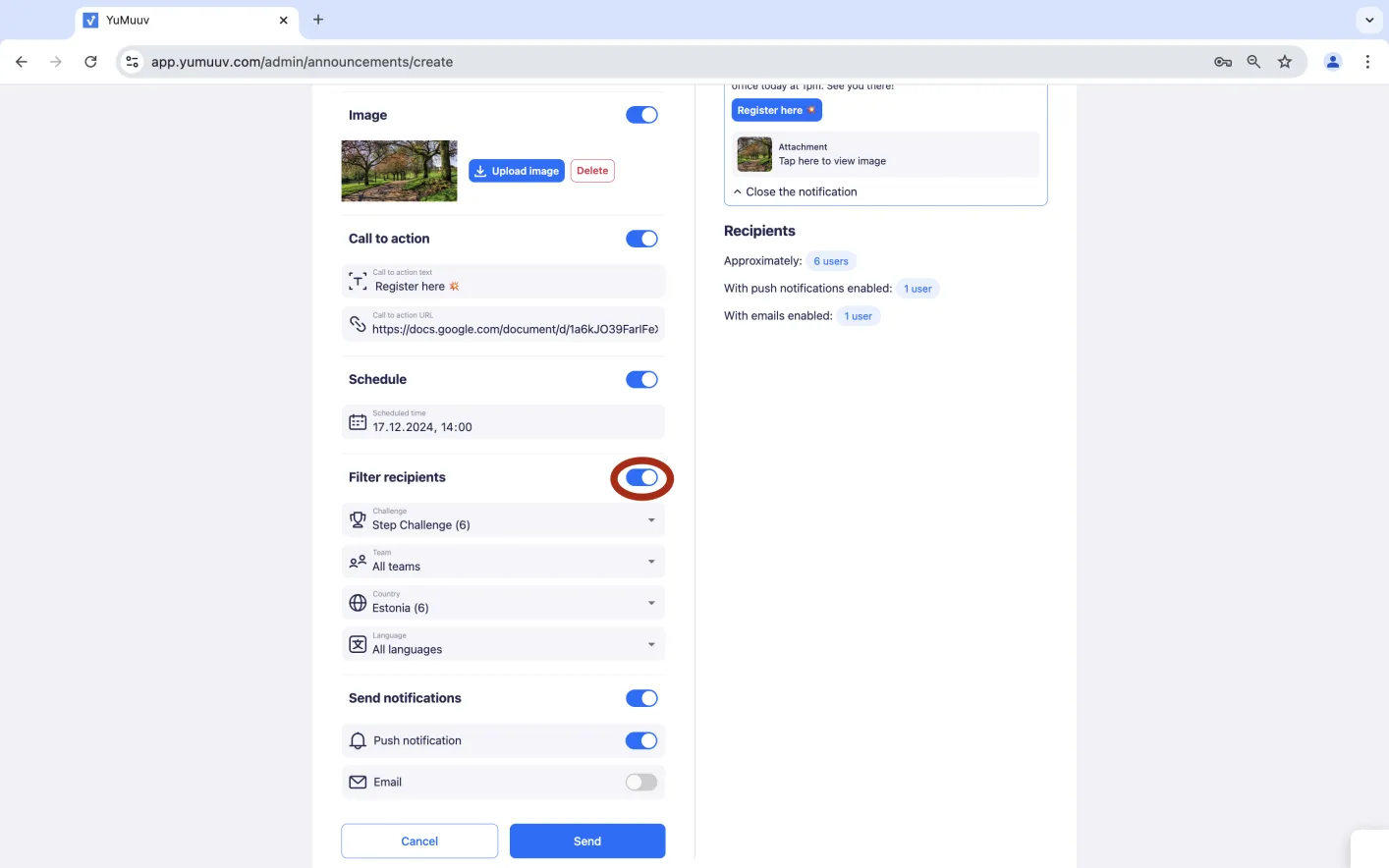
Additionally, you can filter recipients by challenge, team, country, or the user's selected language in the YuMuuv app.
Finally, choose whether and how users should be notified about the announcement.
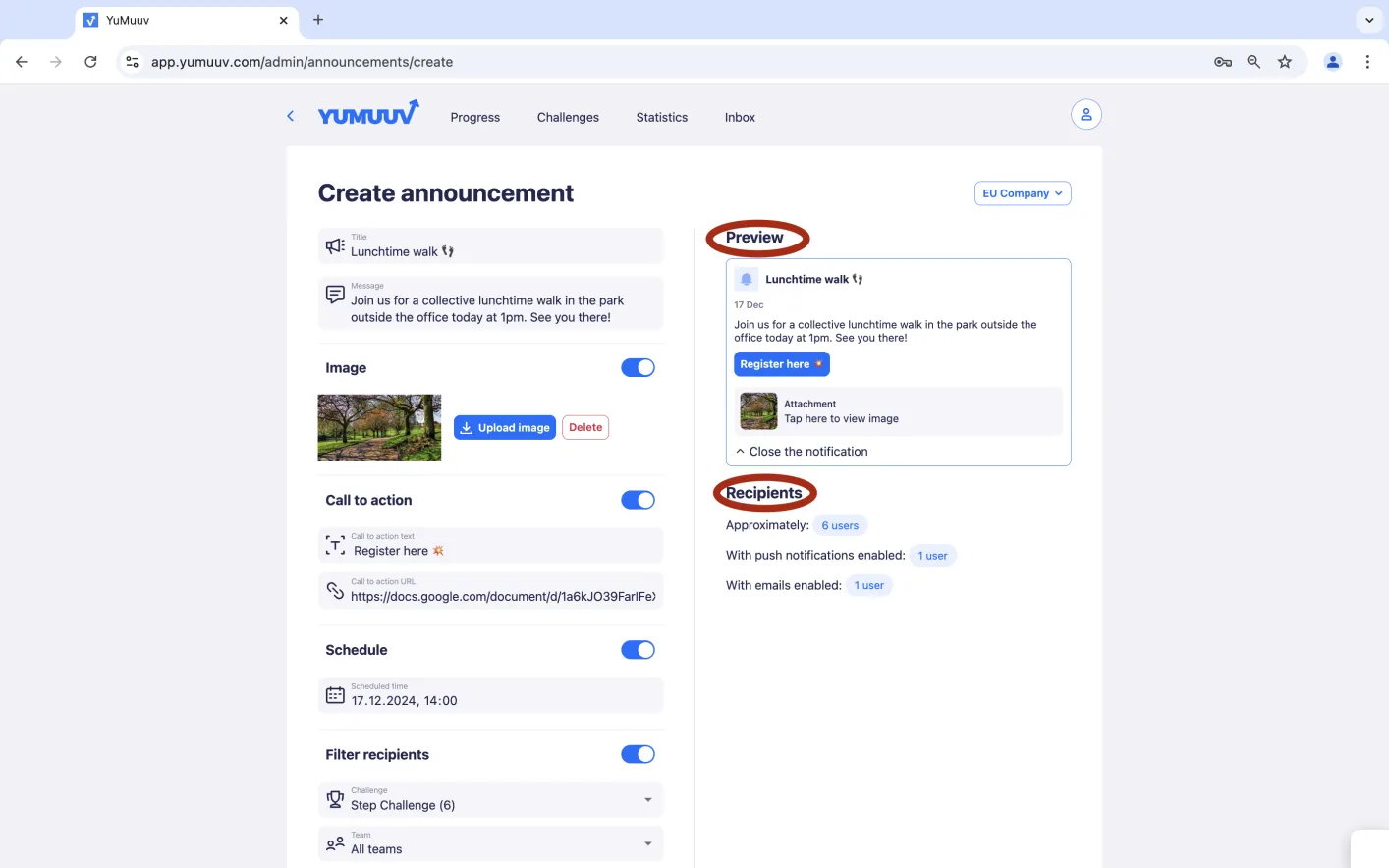
On the right side (in the phone app is below), you can preview the announcement before sending it and see an approximate count of recipients.
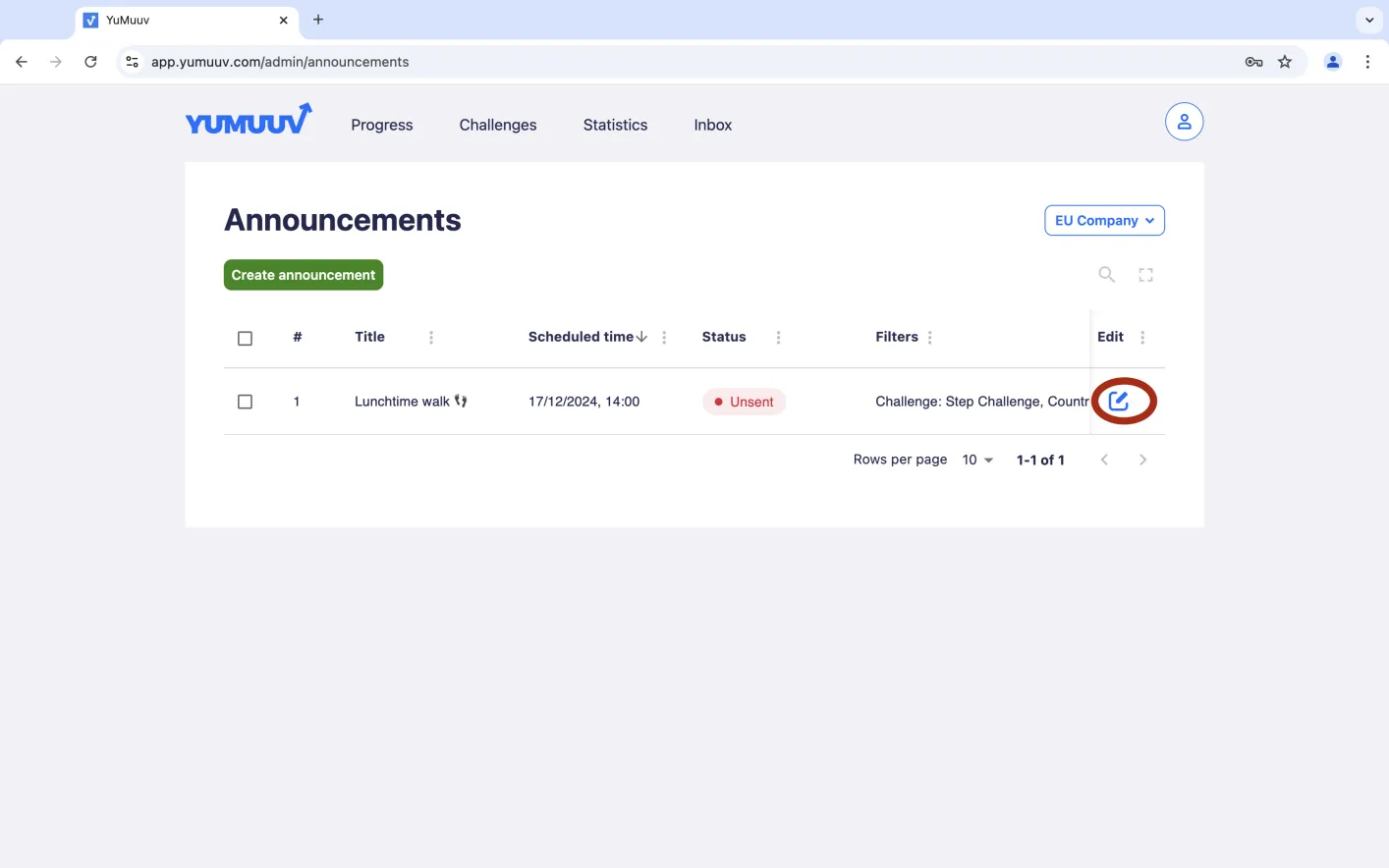
Now the announcement is created! If you want to edit the announcement, you can click the edit button.
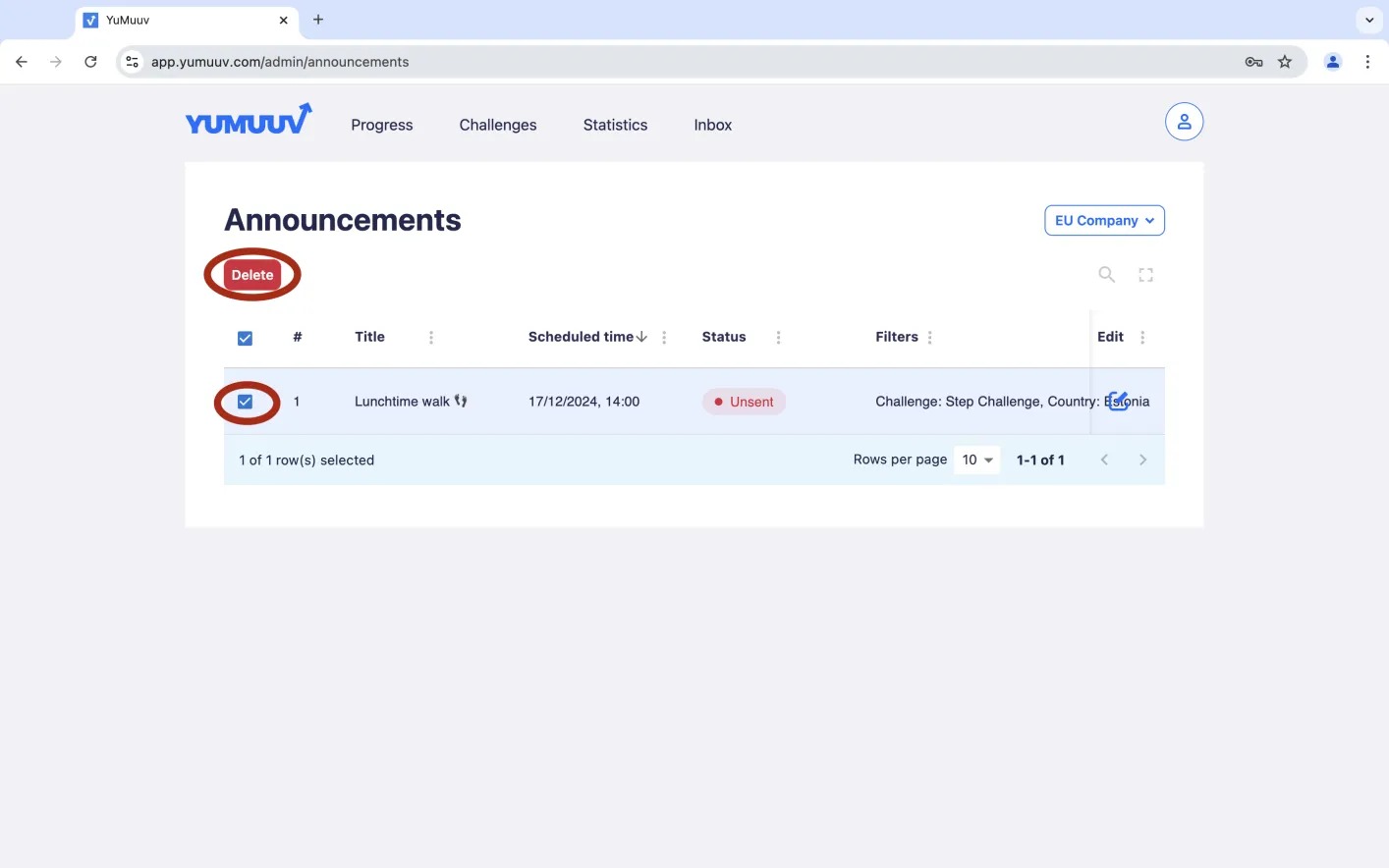
If you want to delete the announcement, tick the box and press the red Delete button.
If you have any problems with sending announcements in our app, contact us directly.